The Admin Resource Hub: Moderation and Handling Conflict

Welcome to Part 4 of our Admin Resource Hub series, helping you build and run a great Flickr group. This time we’re talking moderation: how to keep your group on track and what to do when things get a little challenging.

Every group hits a rough patch eventually. A member who keeps posting off-topic shots, a critique thread that turns personal or a wave of spam hitting the photo pool. These aren’t signs that your group is failing, it’s a reminder that your group is getting noticed and bringing about engagement, but some of that engagement needs moderation.  The goal of moderation isn’t to police every post. It’s to protect the space so the people who love it keep coming back. 

Consistent and timely moderation

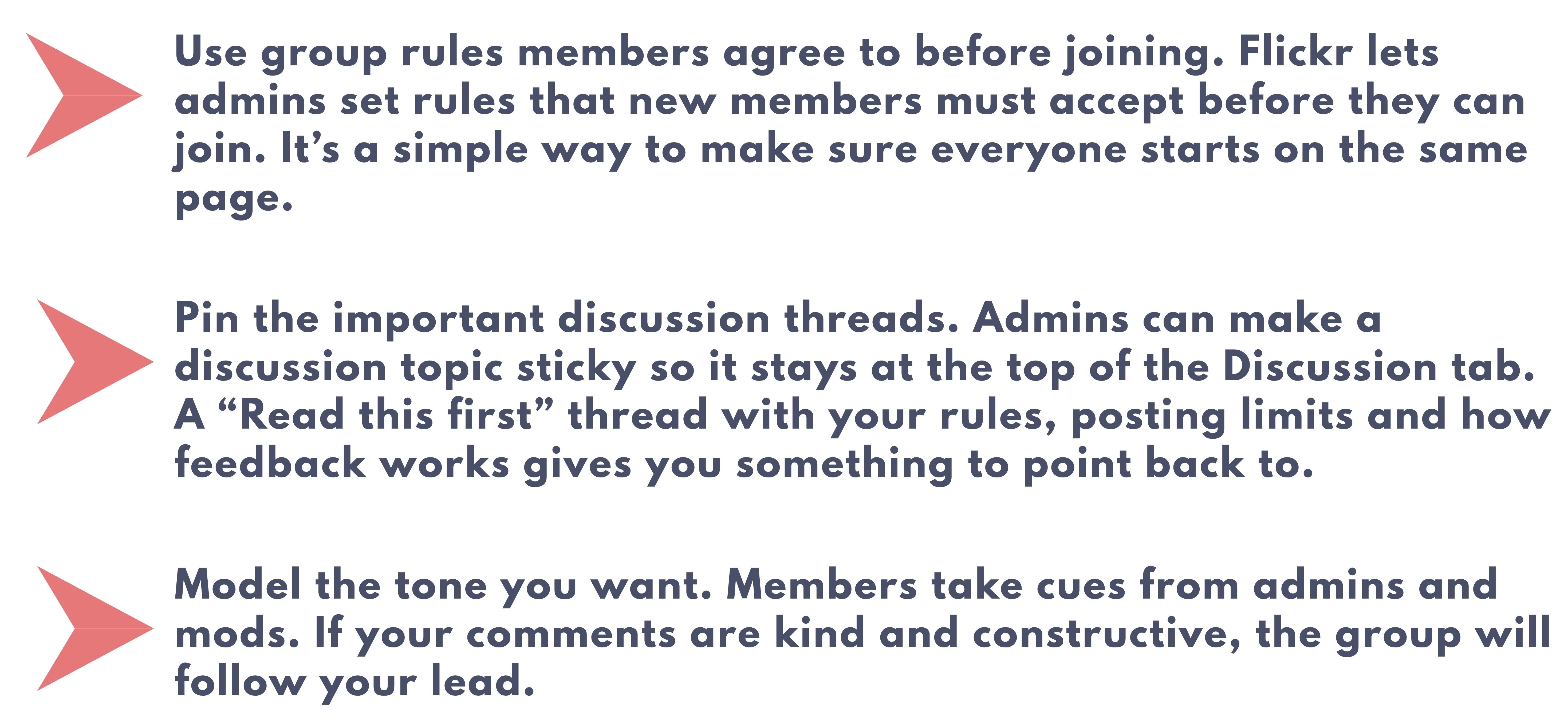
The easiest way to handle conflict is to catch it before it actually starts. In our previous post,  Setting Up Your Group, we discuss writing a few clear rules you plan to enforce and this important step hopefully has helped to lay some useful groundwork. When expectations are clearly defined, you’ll see that most members will follow them, leaving the stragglers easier to identify and redirect. 

A few ways to make group expectations hard to miss:
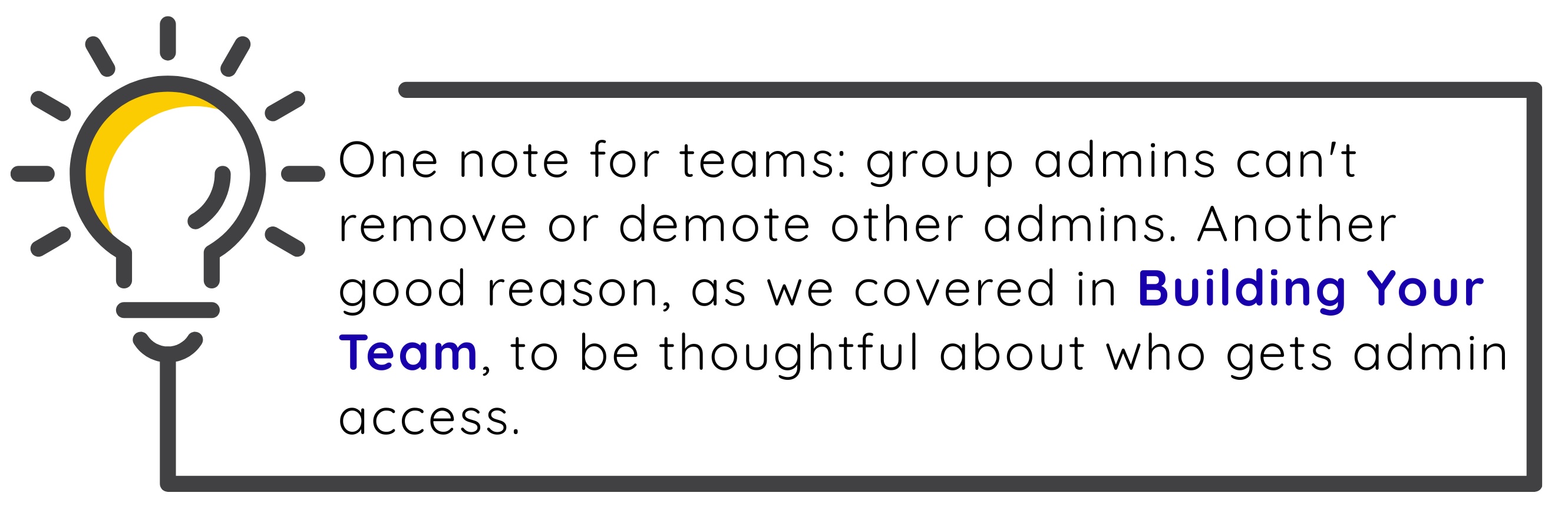
Your Moderation toolkit.

Flickr provides admins and moderators a set of tools for managing group content and members. Getting to know what each one does, before you need to put it to use helps reduce stress and makes issues easier to resolve. 

  • Remove a photo from the pool. For a one-off shot that doesn’t fit the group, use the X tool that appears in the upper righthand corner of each photo in the pool. The photo stays on the member’s Photostream but is removed from the group. 
  • Use the pending queue. Turning on the pending queue means admins and mods approve photos before they appear in the pool. It’s a great fit for groups that see a lot of off-topic posts or spam.
  • Moderate discussions. Admins can manage discussion threads, including removing replies that cross the line.
  • Remove a member. From the Administration tab, select Manage your Members, then Remove next to their name. You can also choose to remove their photos from the pool at the same time. A removed member can rejoin later.
  • Ban a member. Follow the same steps and choose Ban. A banned member can’t rejoin unless an admin or moderator lifts the ban, so save this one for repeat issues, spam or members who willfully ignore the rules.
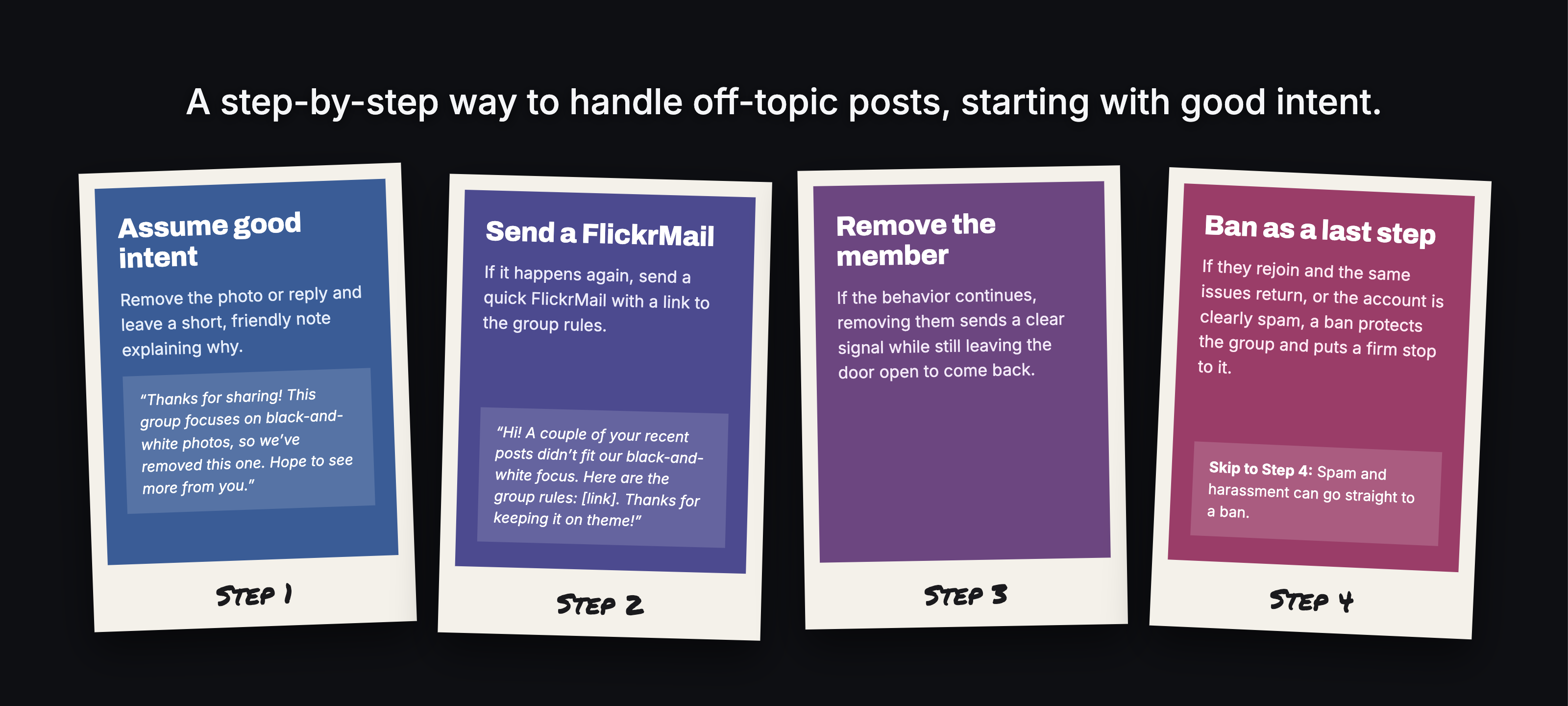
Giving the benefit of the doubt in moderation

Most rule breaking is rooted in honest mistakes. Someone skimmed the description, misread the theme or didn’t notice the posting limit. Matching your response to the situation keeps things fair and keeps good members from feeling pushed out over a harmless oversight. 
When it’s time to step in

Photographers are passionate about their craft so there are often discussions that bring strong opinions about gear, editing and what makes a good photo. That passion is part of what makes discussions fun, until a debate turns into an argument. A few ways to cool things down:

  • Step in early and publicly. A calm reply in the thread, like “Let’s keep this about the photos, not each other,” often resets the tone before it escalates.
  • Take it private when it’s personal. If two members are going back and forth, a FlickrMail to each can do more than a public callout.
  • Separate critique from criticism. Honest feedback on a photo is welcome in many groups. Comments aimed at the photographer aren’t. Make that line clear in your rules if your group offers critique.
  • Give it a moment. If you’re feeling frustrated, wait before you reply. A short pause usually leads to a better response.
Keep your team aligned

Coordinate with your fellow admins and mods so that rules and corrections are equally enforced by the whole team. 

  • Agree on the basics. Decide together what gets a friendly note, what gets removed and what earns further escalation.
  • Talk through the tough calls. When you need to work through a complicated situation, touch base with your team before acting.
  • Keep a simple log. A private note of who was warned, removed or banned, and why, helps everyone stay on the same page across time zones.
Teamwork

Know when to bring in Flickr

Group tools handle what happens inside your group. Some situations go beyond that, like harassment that follows a member outside the group or content that breaks Flickr’s Community Guidelines. In those cases, contact Flickr Support so our team can take a look and offer support when the situation calls for it. 

Moderation is rarely the fun part of running a group, but it’s what makes the fun parts possible. Clear expectations, a calm response and a team that’s on the same page will carry you through most rough patches. And you don’t have to figure it out alone.

Have a moderation situation you’re not sure how to handle? Bring it to our Flickr Admin HQ group and swap notes with fellow admins who’ve been there.

Join Admin HQ today

This is the fourth post in our Admin Resource Hub series. Missed the earlier ones? Catch up with Setting Up Your Group, Building Your Team and Growing and Engaging Members. Have a topic you want covered? Let us know.

Not a Flickr member yet? Sign up today to join our community of photographers and find your inspiration.

The Admin Resource Hub: Moderation and Handling Conflict

Welcome to Part 4 of our Admin Resource Hub series, helping you build and run a great Flickr group. This time we’re talking moderation: how to keep your group on track and what to do when things get a little challenging.

Every group hits a rough patch eventually. A member who keeps posting off-topic shots, a critique thread that turns personal or a wave of spam hitting the photo pool. These aren’t signs that your group is failing, it’s a reminder that your group is getting noticed and bringing about engagement, but some of that engagement needs moderation.  The goal of moderation isn’t to police every post. It’s to protect the space so the people who love it keep coming back. 

Consistent and timely moderation

The easiest way to handle conflict is to catch it before it actually starts. In our previous post,  Setting Up Your Group, we discuss writing a few clear rules you plan to enforce and this important step hopefully has helped to lay some useful groundwork. When expectations are clearly defined, you’ll see that most members will follow them, leaving the stragglers easier to identify and redirect. 

A few ways to make group expectations hard to miss:

Your Moderation toolkit.

Flickr provides admins and moderators a set of tools for managing group content and members. Getting to know what each one does, before you need to put it to use helps reduce stress and makes issues easier to resolve. 

  • Remove a photo from the pool. For a one-off shot that doesn’t fit the group, use the X tool that appears in the upper righthand corner of each photo in the pool. The photo stays on the member’s Photostream but is removed from the group. 
  • Use the pending queue. Turning on the pending queue means admins and mods approve photos before they appear in the pool. It’s a great fit for groups that see a lot of off-topic posts or spam.
  • Moderate discussions. Admins can manage discussion threads, including removing replies that cross the line.
  • Remove a member. From the Administration tab, select Manage your Members, then Remove next to their name. You can also choose to remove their photos from the pool at the same time. A removed member can rejoin later.
  • Ban a member. Follow the same steps and choose Ban. A banned member can’t rejoin unless an admin or moderator lifts the ban, so save this one for repeat issues, spam or members who willfully ignore the rules.

Giving the benefit of the doubt in moderation

Most rule breaking is rooted in honest mistakes. Someone skimmed the description, misread the theme or didn’t notice the posting limit. Matching your response to the situation keeps things fair and keeps good members from feeling pushed out over a harmless oversight. 

When it’s time to step in

Photographers are passionate about their craft so there are often discussions that bring strong opinions about gear, editing and what makes a good photo. That passion is part of what makes discussions fun, until a debate turns into an argument. A few ways to cool things down:

  • Step in early and publicly. A calm reply in the thread, like “Let’s keep this about the photos, not each other,” often resets the tone before it escalates.
  • Take it private when it’s personal. If two members are going back and forth, a FlickrMail to each can do more than a public callout.
  • Separate critique from criticism. Honest feedback on a photo is welcome in many groups. Comments aimed at the photographer aren’t. Make that line clear in your rules if your group offers critique.
  • Give it a moment. If you’re feeling frustrated, wait before you reply. A short pause usually leads to a better response.

Keep your team aligned

Coordinate with your fellow admins and mods so that rules and corrections are equally enforced by the whole team. 

  • Agree on the basics. Decide together what gets a friendly note, what gets removed and what earns further escalation.
  • Talk through the tough calls. When you need to work through a complicated situation, touch base with your team before acting.
  • Keep a simple log. A private note of who was warned, removed or banned, and why, helps everyone stay on the same page across time zones.
Teamwork

Know when to bring in Flickr

Group tools handle what happens inside your group. Some situations go beyond that, like harassment that follows a member outside the group or content that breaks Flickr’s Community Guidelines. In those cases, contact Flickr Support so our team can take a look and offer support when the situation calls for it. 

Moderation is rarely the fun part of running a group, but it’s what makes the fun parts possible. Clear expectations, a calm response and a team that’s on the same page will carry you through most rough patches. And you don’t have to figure it out alone.

Have a moderation situation you’re not sure how to handle? Bring it to our Flickr Admin HQ group and swap notes with fellow admins who’ve been there.

Join Admin HQ today

This is the fourth post in our Admin Resource Hub series. Missed the earlier ones? Catch up with Setting Up Your Group, Building Your Team and Growing and Engaging Members. Have a topic you want covered? Let us know.

Not a Flickr member yet? Sign up today to join our community of photographers and find your inspiration.